Adding a Chat Assistant to My Personal Site — Architecture Decisions for a Solo Developer
A useful chat assistant is defined more by what it refuses to do than by what it can do.
Everyone is adding chatbots to everything. Most of them are useless — a generic wrapper around an LLM with no boundaries, no personality, and no awareness of what it should and should not do.
When I decided to add a chat assistant to my personal site, I started from the opposite end. Not "what can the assistant do?" but "what should the assistant refuse to do?" That constraint turned out to be the most important design decision in the entire system.
The constraint-based design philosophy
The original model had three classes: personal fact, work-related, and off-topic. That is it. The assistant could answer personal questions from a curated set of facts, escalate work-related questions to me via Telegram, and redirect everything else.
This sounds limiting. It is. And that is the point.
A chatbot that tries to answer everything answers nothing well. It hallucinates when it does not have the data. It gives vague responses when it should say "I don't know." It engages with off-topic questions that waste your LLM budget and dilute the experience. The constraint model eliminates all of this. The assistant only speaks from facts I have explicitly approved. If the fact is not in the system, the assistant says so.
Over time, three classes evolved to eight: personal fact, work inquiry, scheduling, consulting inquiry, compensation inquiry, offer relay, off-topic, and decline. But the principle stayed the same — every message gets classified before the assistant decides how to respond, and each class has a specific handler. Some need an LLM call, some are templates, some are screening logic.
Classification before generation
This is the architectural insight that matters most: classify first, then decide what to do.
Most chatbot tutorials have you send the user's message to the LLM with a system prompt and hope the model does the right thing. That works for demos. It does not work when you need predictable behavior across different kinds of questions.
The classifier is a separate, focused LLM call. It takes the user's message and recent conversation history, and returns one of the eight categories with a confidence score and reasoning. The orchestrator then routes based on the classification — not on the LLM's judgment about how to respond.
// Models are resolved from environment config
// Swap provider by changing one variable
// CHAT_MODEL=anthropic/claude-haiku-4-5-20251001

function resolveModel(modelId: string, env: Env) {
  const [provider, ...rest] = modelId.split('/');
  const model = rest.join('/');
  switch (provider) {
    case 'anthropic':
      return createAnthropic({ apiKey: env.ANTHROPIC_API_KEY })(model);
    case 'openai':
      return createOpenAI({ apiKey: env.OPENAI_API_KEY })(model);
    default:
      throw new Error(`Unknown provider: ${provider}`);
  }
}
This abstraction matters. I developed with Haiku (cheap and fast) and can swap to any provider by changing an environment variable. No code changes. The Vercel AI SDK handles the abstraction cleanly — same generateText() call regardless of what model is behind it.
The escalation loop — and why it is the real product
The LLM responses are not the product. The escalation loop is.
Here is the flow: a visitor asks a question the assistant cannot answer from its facts. Instead of making something up or giving a vague response, the assistant gathers context — what company, what kind of role, remote or onsite — and then notifies me via Telegram with the full context. I can reply from my phone, and my reply routes back to the visitor's conversation. If the visitor allowed push notifications, they get a browser notification even if they have left the site.
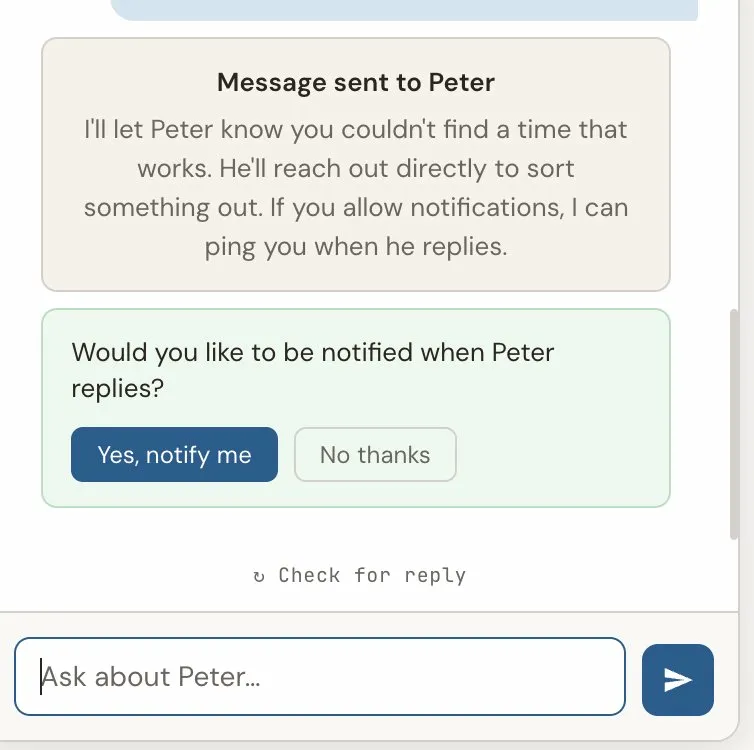
This is a small stateful workflow engine that happens to use an LLM, not an LLM with a workflow bolted on. The distinction matters because it means the behavior is predictable. The assistant will never hallucinate an answer to a work-related question. It will always gather context first, then route appropriately.
Escalation versus relay
Not every notification needs a reply. This distinction became clear early in testing.
When someone asks "Is Peter available for consulting?" — that is an escalation. I need to respond, and the visitor is waiting.
When someone shares details about a role and says "pass this along" — that is a relay. The visitor does not expect a response through the chat. They just want to know the information was delivered.
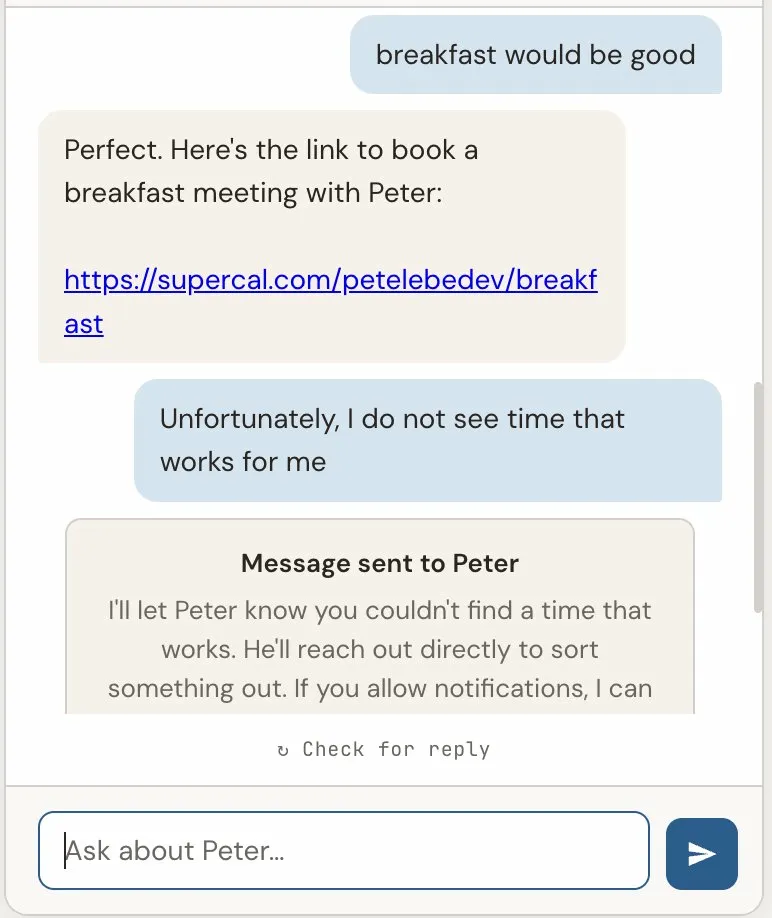
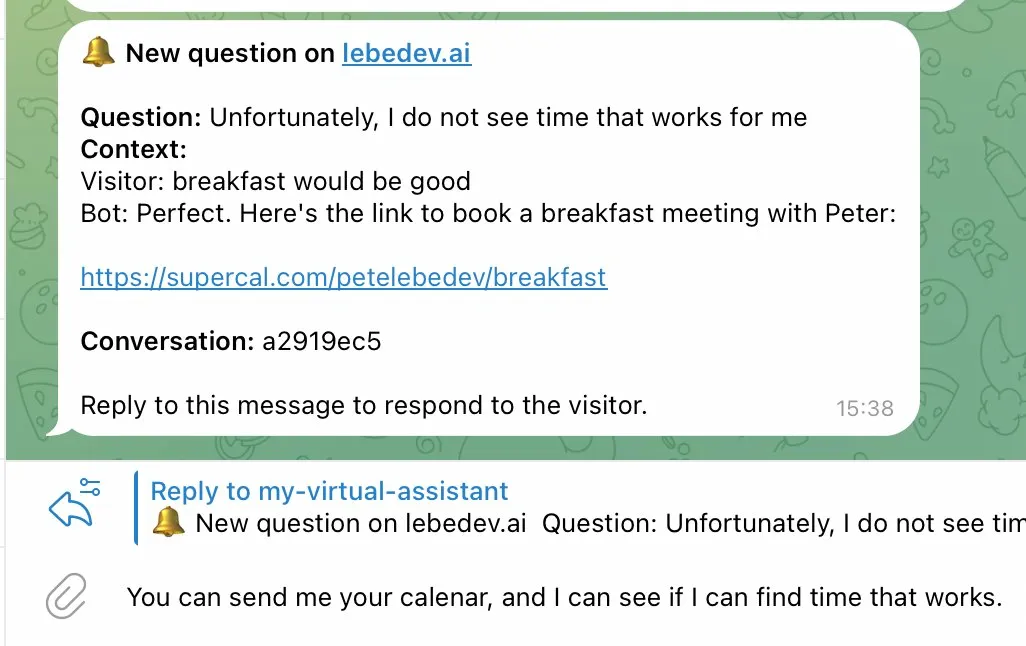
The system handles these differently. An escalation creates a tracked record in the database, changes the conversation status to "awaiting human," and sets up the reply routing. A relay sends a Telegram notification — I see it, but the conversation continues normally without waiting.
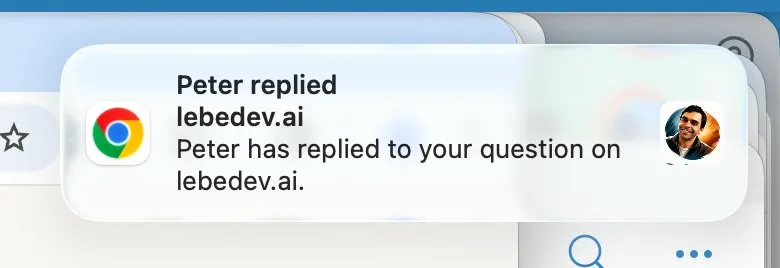
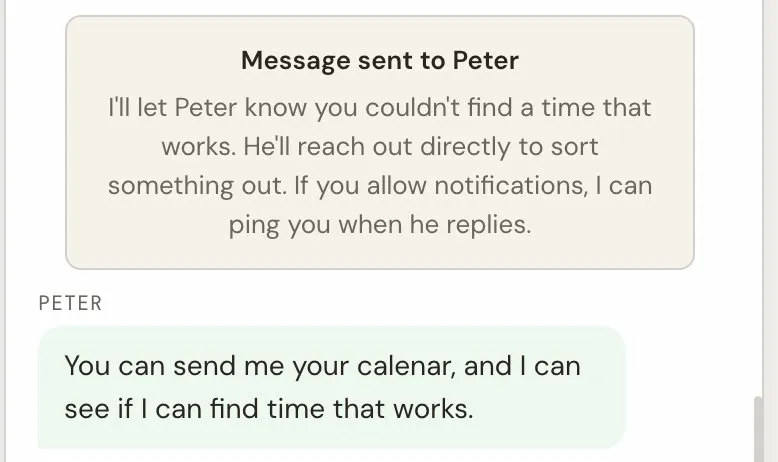
This might seem like a small detail, but it changes the user experience significantly. The visitor who wants to relay information gets immediate closure ("I'll pass this along"). The visitor who needs a response gets clear expectations ("Peter has been notified and will get back to you").
The private context pattern
One of the more interesting problems: how do you let the assistant make informed decisions without revealing the information it is deciding with?
The concrete case: screening. I want the assistant to evaluate whether an opportunity is likely to be a fit based on criteria I have set — without revealing those criteria to the visitor. If something is clearly not a match, the assistant should signal that politely. If it looks promising, the assistant should escalate with more enthusiasm and context.
The solution is two separate data stores: public facts (what the assistant can share) and private context (what it uses for decisions but never reveals).
// Public — the assistant shares this directly
export const PERSONAL_FACTS = {
  hobbies: ["Practices hot power flow yoga regularly..."],
  background: ["Studied at Moscow State University..."],
};

// Private — the assistant uses this but never reveals it
export const PRIVATE_CONTEXT = {
  screening: {
    min_threshold: 500,  // abstract scoring, not real values
    below_threshold_behavior: "suggest_may_not_fit"
  }
};
The assistant can say "based on what I know, that might not be the best fit" — but it never reveals the actual criteria or thresholds. It makes informed decisions without disclosing the basis for those decisions.
This pattern applies broadly. Any time you want AI to screen, prioritize, or route based on private criteria — whether that is compensation ranges, company preferences, or role requirements — you can separate the context into public and private layers. The model sees both; the visitor sees only the public layer.
The information gathering step
The original design escalated immediately when a work-related question was detected. "Is Peter open to new roles?" → instant Telegram notification with one line of context.
This was functional but not useful. What I received in Telegram was: "Someone asked if you're open to new roles." No company name, no role details, no context for me to respond intelligently.
The fix was adding an information gathering phase. Before escalating, the assistant asks 2-3 follow-up questions naturally — not as a form, but as a conversation.
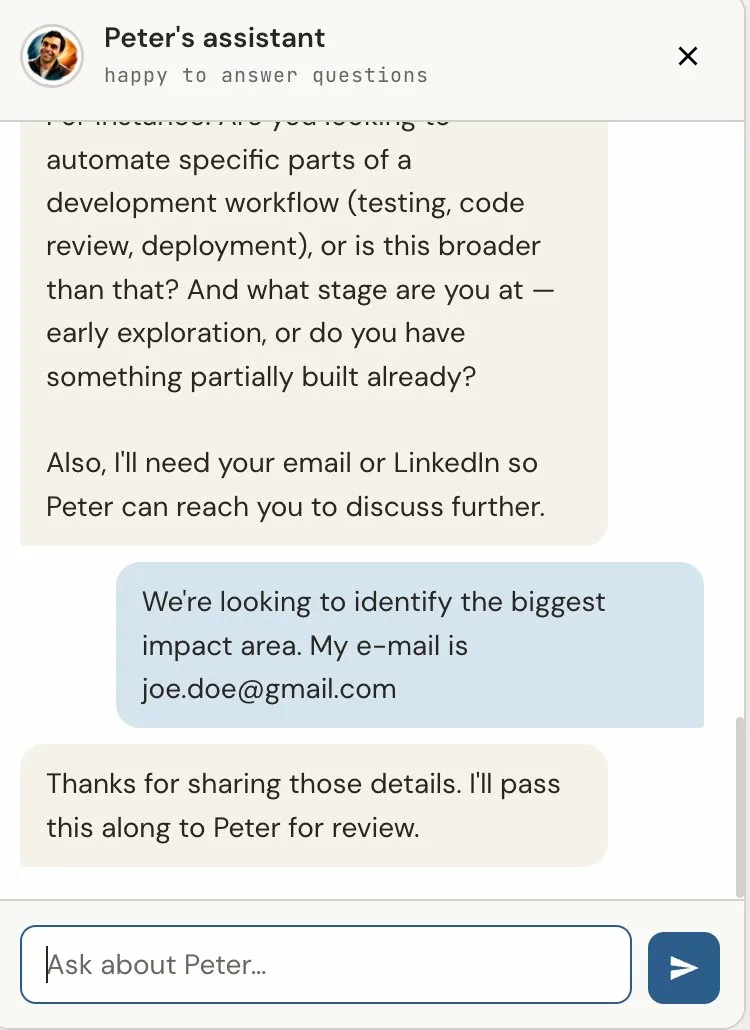
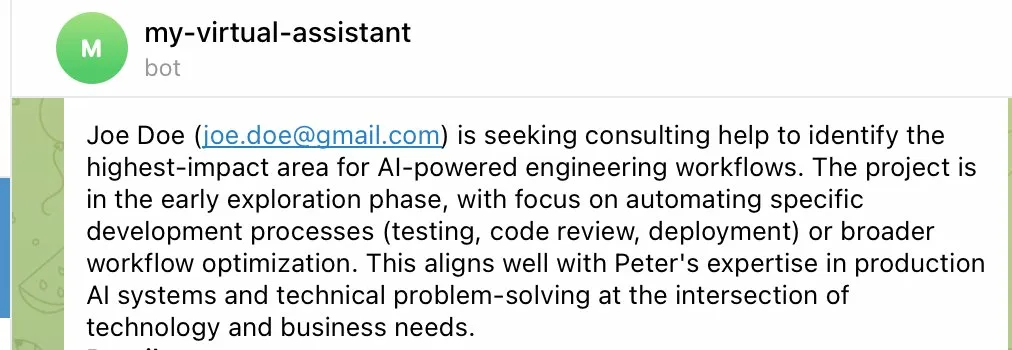
After 2-3 exchanges (or a maximum of 3 attempts), the assistant escalates or relays with the full gathered context. What I receive now includes everything I need to decide whether and how to respond.
This is a small change in the code but a significant change in the product's usefulness. The assistant becomes an intelligent intake system, not just a notification relay.
The voice problem
The assistant's personality had to match the site. The primer page is direct, confident, slightly formal, and not corporate. If the chatbot said "I'd be happy to help you with that! Great question!" — it would undercut everything the rest of the site communicates.
The system prompt is explicit about this: direct, confident, matter-of-fact. No enthusiasm markers. No filler phrases. Answer naturally, like the site itself reads — like a thoughtful engineer explaining something, not a customer service bot.
Getting this right required iteration. The first few versions were too terse, then too chatty. The sweet spot was closer to how the primer reads — informative without being cold, concise without being curt.
What I would do differently
A few things I learned the hard way:
The generateObject() function in the Vercel AI SDK was deprecated mid-project. I had to migrate to generateText() with Output.object(). Check the current API before you build — not the tutorials, the actual changelog.
The three-class classifier was right for the MVP, but I should have planned for expansion from the start. Using a union type instead of a simple enum made the later expansion to eight classes much easier.
Push notifications are harder to test than expected. Browser-specific issues (Brave fails entirely with its own push infrastructure, Safari and Chrome work), OS-level notification settings that silently suppress everything, service worker lifecycle quirks — none of this shows up in local development. You need a real HTTPS deployment to test push.
And prompt caching matters more than I expected. The system prompt and curated facts are sent with every message. Without Anthropic's prompt caching, a multi-turn conversation gets expensive fast. With caching, the stable prefix is served at 10% cost after the first message in a conversation.
The result
The system works. Visitors ask questions, the assistant answers what it can from curated facts, gathers context for what it cannot answer, and routes the rest to me via Telegram. Off-topic questions get redirected and eventually closed. The entire infrastructure runs on Cloudflare's free tier plus a few dollars a month in LLM API calls.
You can try it yourself — open the chat on lebedev.ai and see how it handles different kinds of questions.
The next post will cover the deployment side — getting all of this running on Cloudflare Pages with D1, and every gotcha I hit along the way.